
Claude Code Best Practices: From Tool to System
I've been using Claude Code for over a year. I've made enough mistakes to fill a book. When I first started, the term "vibe coding" didn't even exist yet. I thought it was just a chatbot in a terminal
Written by
Vox
Claude Code Best Practices: From Tool to System
I've been using Claude Code for over a year. I've made enough mistakes to fill a book.
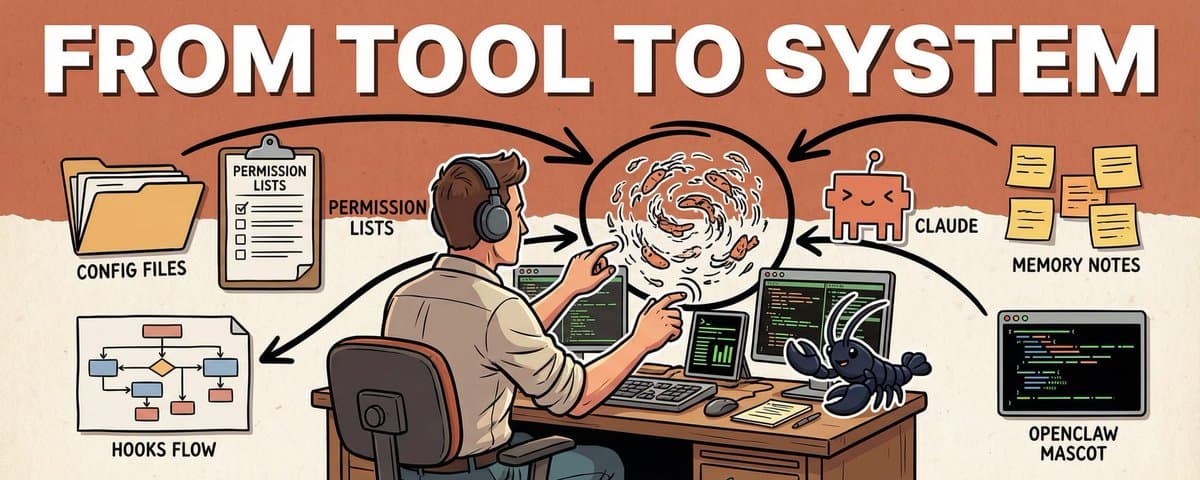
When I first started, the term "vibe coding" didn't even exist yet. I thought it was just a chatbot in a terminal - type a few lines, get some code, done. Then I realized: the same tool, configured right versus not configured at all, behaves like two completely different things.
This article is what came out of combing through a year of experience. By the end, you'll walk away with: a 4-line global config template, a permissions whitelist strategy, a workflow that makes AI think before it acts, and a method for turning soft rules into hard constraints with Hooks.
Some of this came from painful mistakes. Some from reading the docs more carefully than I probably should have.
1. Shorter CLAUDE.md is Better
use it today
I've seen an 800-line CLAUDE.md that listed every folder's purpose, every API's parameters, every edge case's handling. The author put in real effort, but it was doing more harm than good.
Claude's attention is limited. Earlier parts of the context carry more weight than later parts. My rule of thumb is to keep a single CLAUDE.md short, usually under about 200 lines. The official docs say CLAUDE.md files load in full, but shorter files produce better adherence. Anything longer eats context and reduces compliance. Overflow should go into .claude/rules/ or use @imports.
The longer your CLAUDE.md, the worse Claude tends to follow it. I use 200 lines as a personal ceiling, not as a documented hard limit.
What belongs there: the "why" that Claude can't read from code. Architecture decisions, historical lessons, business constraints, style preferences. What doesn't: API docs, file-by-file descriptions. Claude reads code on its own.
My global CLAUDE.md is just 4 lines:
- commit messages use conventional commits
- explain your plan before making changes, wait for my confirmation
- prefer simple solutions, no over-engineering
- don't refactor files I didn't mention
Just these 4 lines saved me hundreds of "no, that's not what I meant."
At the project level, I put project facts:
# Ship Faster

## Architecture
- Next.js 16 App Router + Supabase + Stripe + Vercel

## Off-limits
- Don't modify existing files in supabase/migrations/
- Don't delete .env.local
- Run stripe listen before changing payment webhooks

## Current focus
- Refactoring onboarding flow, goal: fewer steps from signup to first payment
Going further, I split rules into .claude/rules/ with YAML frontmatter for path matching:
---
paths: ["src/api/**/*.ts", "src/routes/**/*.ts"]
---
- All API handlers must include input validation
- Error responses use { error: string, code: number } format
- Every new endpoint needs an integration test in tests/api/
This rule only activates when Claude touches the API directory. Doesn't interfere with other files, saves context space.
The hierarchy: Claude Code loads instructions from multiple levels, roughly in this priority order: managed instructions (enterprise), project instructions (./CLAUDE.md or ./.claude/CLAUDE.md), user instructions (~/.claude/CLAUDE.md), .claude/rules/ and ~/.claude/rules/. There's also recursive directory loading, so it's not a simple four-layer stack.
My actual approach is simple: global for behavior preferences, project for project facts, rules split by path into .claude/rules/. Three layers, each doing its own thing, no mixing.
2. Subagents Are a Necessity
try it this week
Without subagents, your context window fills up fast on complex projects. Running tests, analyzing logs, searching large codebases, these operations produce massive output. Dump all of it into your main session and context quality drops hard.
The core value of subagents is context isolation. Each subagent has its own context window. Output stays in the subagent, only a summary comes back to you. Claude Code supports custom subagents with configurable tool permissions and role descriptions. Claude automatically delegates tasks to subagents when the description matches, and each runs in its own isolated context.
I use three agent templates: explorer (read-only, fast codebase search), planner (read-only, research and analysis), executor (full capabilities, complex tasks).
Custom agents go in .claude/agents/:
---
name: code-reviewer
description: Code review agent, read-only
tools: Read, Grep, Glob, Bash
model: sonnet
---
You are a code reviewer. Check for: security vulnerabilities, performance issues, maintainability.
Only report problems. Don't modify code, don't suggest refactors.
Note: subagents inherit the parent session's tools by default. If you want a truly read-only agent, you need to explicitly set the tools allowlist. Just writing "read-only" in the description won't restrict tool access.
The most counterintuitive way I use subagents: not to write code, but to simulate users.
I set up 6 AI personas playing different types of fault-finders, each delegated as a subagent task. 15 minutes later, they found 5 problems I hadn't caught in two weeks of using the system myself.
I had built an AI configuration system and used it for two weeks. It felt solid. But I wasn't sure how others would experience it. So I created 6 subagents, each playing a completely different user role:
Skeptical Staff Engineer: 10 years experience, distrusts new tools by default. Focused on security, side effects, hidden dependencies.
Security Reviewer: Security audit background. Focused on secret leaks, permission boundaries, remote execution risks.
New Maintainer: Just inherited the project, zero background knowledge. Focused on documentation clarity, onboarding path.
Heavy CLI User: Power command-line user. Focused on command consistency, composability, idempotency.
Operator / SRE: Responsible for production operations. Focused on observability, failure recovery, notification pipelines.
Docs-First Newcomer: Follows documentation step by step, doesn't read source code. Focused on README completeness, example accuracy.
I delegated all 6 persona tasks to subagents. 15 minutes later, the aggregated results revealed 5 trust breakpoints:
A command failed silently. New Maintainer had no idea what went wrong.
README was missing a "what should I do first" 30-second quick start.
One feature's description didn't match its actual behavior. Heavy CLI User immediately lost trust.
The status command wasn't truly read-only. Security Reviewer caught it first.
The notification pipeline had no liveness probe. Operator refused to treat it as a health check.
After fixing each one, the same 6 agents ran a second round. All high-priority trust breakpoints cleared. Remaining issues dropped to wording and observability tweaks.
This kind of testing takes a week by hand. AI ran two full rounds in 15 minutes.
This isn't just a testing technique. It's a new approach to quality assurance: let AI play your users and find problems before you ship.
3. Good Instructions Are Precise
use it today
I once gave this instruction: "help me optimize this function."
Claude Code split the function into three files, added a factory class, and changed the import paths. I spent twenty minutes reviewing, only to realize none of it was what I wanted.
The problem was a vague instruction. Good instructions need just three elements: goal, constraints, context.
Goal: Reduce getUserData() response time from 800ms to under 200ms
Constraints: Don't change the interface signature, don't add new dependencies, only touch this one function
Context: @src/services/user.ts#L45-L89
Verification: user.test.ts must all pass
Don't: Don't change the database schema, don't add a caching layer
@ references with line numbers keep Claude precisely focused. For UI issues, I Ctrl+V paste screenshots directly, ten times more accurate than describing layouts in words.
"Don't" is more important than "do."
"Don't add new dependencies" is more effective than listing 10 allowed libraries. Claude sometimes gets overeager. You ask it to fix a bug, it refactors the surrounding code too. Saying "only change this function" saves a lot of trouble.
Exploration actually benefits from vague instructions. "Look at this module for potential issues" catches things "check these 5 specific aspects" would miss. Switch back to precise mode when implementing.
4. Plan Mode is the Most Underrated Feature
use it today
I once told Claude Code to directly refactor a 600-line routing file. It got halfway through, introduced circular dependencies, tried to fix the circular dependencies, and made everything worse. I hit Ctrl+C and lost half an hour of context.
After that, I always use Plan Mode for complex tasks.
Three ways to enter:
# At startup
claude --permission-mode plan

# During a session (press Shift+Tab until Plan Mode appears)
Shift+Tab  # repeat until Plan Mode appears

# Natural language
"Don't change any code yet, give me an implementation plan"
In Plan Mode, Claude only outputs the plan without executing anything. The key move: press Ctrl+G to open and edit the plan text in your editor. Delete unnecessary steps, add constraints, confirm, and Claude executes the updated plan.
Changing a plan takes one sentence. Changing code that's already written takes ten times longer.
Standard four-step workflow:
Explore (Claude reads code) → Plan (output plan) → Implement (execute step by step) → Verify (run tests)When you don't need Plan Mode: tasks with only one possible implementation. Renaming a variable, fixing a typo, adding a log line. No detours needed. Plan Mode is for tasks where there are multiple choices.
5. Context Management is the Real Bottleneck
set it up this week
I was halfway through a task once, ran /context and saw 78% usage. Then Claude suddenly started repeating approaches we had already rejected, like it had amnesia. That's when I made /compact a regular habit.
Claude Code supports very large context windows, but a stuffed context means quality drops hard.
A stuffed context doesn't fail because it exceeds the limit. It fails because attention gets scattered.
Five management strategies:
/clear: Wipe everything, use when switching tasks completely.
/compact [focus]: Compress history while keeping key points. Use when continuing the same task.
/compact keep: current task goal, completed steps, pending issues/context: Check current context usage. Know where you stand.
Subagents: Separate modules get separate agents. Don't pollute the main session.
Compression retention instructions: Tell Claude in CLAUDE.md what to keep when compressing.
# Compression instructions
When compressing context, always keep:
- Complete list of modified files
- Test commands and results
- Key architecture decisions
Claude Code really has two mechanisms here: CLAUDE.md files and auto memory. Within CLAUDE.md, I treat project instructions as shared project facts and team standards, and user instructions (~/.claude/CLAUDE.md) as personal preferences that follow me across projects. Auto memory lives in ~/.claude/projects//memory/, with the first 200 lines of MEMORY.md loaded at session start. Type /memory to view loaded CLAUDE.md files, manage auto memory, and edit memory entries. In some clients I also see # open a quick editor, but I treat that as version-specific rather than a documented default.
6. Tighten Your Permissions
use it today
One day, Claude was fixing a bug and casually deleted a config file that "looked unused." That file was the secret key reference entry for the production environment.
I spent half an hour configuring .claude/settings.json after that:
{
  "permissions": {
    "deny": [
      "Bash(rm -rf*)",
      "Bash(*--force*)",
      "Edit(.env*)",
      "Edit(*.pem)"
    ],
    "ask": [
      "Bash(git push*)",
      "Bash(npm publish*)",
      "Edit(src/config/*)"
    ],
    "allow": [
      "Bash(npm run*)",
      "Bash(git commit*)",
      "Bash(git add*)",
      "Read(**)"
    ]
  }
}
Priority: deny > ask > allow. Deny is highest. If a command matches deny, it won't execute even if allow also matches.
Settings files have their own hierarchy: managed (organization policy), CLI arguments, local (.claude/settings.local.json, not committed), project (.claude/settings.json, shared), user (~/.claude/settings.json), defaults. One important nuance: array-valued settings like permission lists merge across scopes rather than replacing each other. So a deny rule at the user level and another at the project level both apply.
I deny business risks at the project level, like deleting migrations. I deny safety baselines at the global level, like executing rm -rf. Two layers, maintained independently.
Read-only means read-only. No "while we're at it." My first version of a status command secretly called sync, reasoning "might as well sync while checking." After running the 6 persona test, Security Reviewer caught it immediately: "Your read-only script has side effects. I can't trust its output." Side effects destroy credibility.
7. Hooks: Turn Rules Into Law
set it up this week
I wrote "run lint before committing" in CLAUDE.md. Claude sometimes skips it. Rules in a file are suggestions. AI sometimes decides "this situation is special" and ignores them.
Rules in CLAUDE.md are suggestions. Hooks are code-level enforcement that never forgets.
Four hook types:
command                Execute a shell command and read JSON from stdin.
http                   Send a POST request to a URL.
prompt                 Make a single LLM call for a yes/no judgment.
agent                  Spawn a subagent for verification.
Three practical scenarios:
Auto-format: Run Prettier after every edit.
{
  "hooks": {
    "PostToolUse": [{
      "matcher": "Edit|Write",
      "hooks": [{"type": "command", "command": "jq -r '.tool_input.file_path' | xargs npx prettier --write"}]
    }]
  }
}
Protect critical files: Block modifications to production config.
{
  "hooks": {
    "PreToolUse": [{
      "matcher": "Edit|Write",
      "hooks": [{"type": "command", "command": ".claude/hooks/protect-files.sh"}]
    }]
  }
}
Exit code 0 means allow, exit code 2 means block. But only events with decision control can actually stop an action. PreToolUse can block a tool call before it runs. PostToolUse cannot, because the tool has already executed. Keep this in mind when choosing which hook event to use.
Re-inject after compression: When a long conversation gets compressed, important instructions can get lost. A hook automatically re-injects them:
{
  "hooks": {
    "SessionStart": [{
      "matcher": "compact",
      "hooks": [{"type": "command", "command": "echo 'Use Bun, not npm. Run bun test before committing.'"}]
    }]
  }
}
The real value of hooks is turning engineering standards into system constraints. Auto-formatting is just a bonus. Humans forget rules. Code doesn't.
8. Let AI Learn From Your Behavior (Optional)
advanced experiment, safe to skip
This is an advanced experiment, not required. If you just want to use hooks well, the previous chapter is enough.
The reverse approach: let AI extract rules from my behavior. The flow:
AI writes draft → I edit until satisfied → observe.py records original/final
→ improve.py diffs both versions → extracts "what I changed"
→ Rules ranked by confidence P0/P1/P2
→ After human review, P0 rules get written back to SKILL.md
# observe.py: record AI draft and my final version
python3 observe.py record-original draft.md
# ...I make my edits...
python3 observe.py record-final final.md# improve.py: extract rules from diff
python3 improve.py auto --skill .
# Auto-compare, extract change patterns, generate rule candidates
# P0 (appeared 5+ times) pushed for human confirmation before writing
# P1 low-frequency, archived
# P2 logged onlyResult: 48 rules, 740 lines. The more cycles, the more AI writes like me.
I also set up a cron job to run extraction automatically every night, no manual trigger needed:
0 23 * * * python3 ~/.ai-core/skills/scripts/improve.py auto --skill .Limitations: Auto-learning isn't magic
Core safety rules, like permission boundaries, secret protection, destructive command blocking, must be handwritten. Can't delegate those to automation.
Incidental edits can get falsely extracted as rules. I once temporarily changed file indentation because that particular file had inconsistent style. improve.py extracted it as "always use 2-space indentation." That rule was wrong because the project standard was 4 spaces.
All P0 rules must go through human review before being written in. Confirm they reflect real preferences, not one-off edits. Auto-learning handles style preferences only. Core safety rules must be handwritten.
9. Git Worktree: Zero-Risk Experiments
use it today
I used to hesitate before refactoring. What if it breaks things? Git branches share the working directory. Switching branches affects the current state.
Worktrees are different. Each branch gets its own independent working directory:
# Create an experiment worktree
claude --worktree experiment/refactor-auth

# Or manually
git worktree add ../project-experiment feature/new-auth
Claude can do whatever it wants in the experiment directory. Main directory stays untouched. If it doesn't work out, git worktree remove, zero cost.
A worktree costs seconds. A failed experiment costs hours.
Git rules:
Don't let Claude auto-push. It can commit, but push requires my confirmation. Once pushed to remote, rollback gets expensive.
Commit frequently. Commit after every atomic step. /rewind can roll back to any checkpoint.
Watch for destructive operations. git reset --hard, git push --force, rm -rf. Think through the consequences before approving. These operations have no undo.
Restore context from PRs. claude --from-pr 123 automatically loads a PR's changes and discussion.
All exploratory tasks, architecture refactors, and uncertain large changes go through worktrees.
10. Extended Thinking: Adjust as Needed
use it today
Thinking is on by default. Claude Code always does some degree of reasoning. But effort level shouldn't always be maxed out. Running high on simple tasks is pure token waste, and the reasoning process eats context, affecting subsequent conversations.
High effort on simple tasks is pure token waste. The reasoning process also eats context, affecting later conversation quality.
I was once designing a complex permission system involving multiple roles, inheritance, and dynamic rules. Default effort produced a plan with obvious gaps. After switching to /effort high, it thought for nearly a minute and came back with a completely different architecture that covered edge cases I hadn't considered.
# Adjust reasoning depth
/effort high    # deeper reasoning
/effort low     # simple tasks, save tokens
As of this writing, the documented way to control reasoning depth is /effort. In practice, typing ultrathink can sometimes nudge Claude toward deeper reasoning for the current turn, but I treat it as an informal prompt hint rather than a guaranteed rule.
My rule: only raise effort when changes touch more than 3 files. Single-file edits, default is fine. Architecture design, complex bug diagnosis, tasks requiring multi-constraint reasoning, those are worth the tokens.
11. Don't Overload on MCP
set it up this week
MCP (Model Context Protocol) lets Claude Code connect to external services like databases, payment platforms, and GitHub. Install an MCP server and Claude can operate that service directly from a conversation.
Every MCP server adds tool definitions to your context, and the overhead adds up. In my experience, each server eats roughly 100 to 500+ tokens, though the exact number varies. I tried running 8 at once. Effective context dropped noticeably, and code generation quality got worse.
Every additional MCP server means less effective context. Add per project as needed, remove when done.
I keep just 2 to 3:
claude mcp add supabase -- npx @supabase/mcp-server-supabase --project-ref $REF
claude mcp add stripe -- node /tools/stripe-mcp/index.js
.mcp.json config:
{
  "mcpServers": {
    "supabase": {
      "command": "npx",
      "args": ["@supabase/mcp-server-supabase", "--project-ref", "xxxxx"]
    },
    "stripe": {
      "command": "node",
      "args": ["/tools/stripe-mcp/index.js"]
    }
  }
}
After connecting Supabase and Stripe, I just say "check the last 7 days of failed payments" in conversation. Claude queries Stripe directly, returns results, and analyzes them. Used to require writing throwaway scripts. Now it's just a conversation.
Use /mcp to manage server connections and disable ones you don't need. I treat per-server context overhead as a practical heuristic, not as a documented /mcp readout that every client exposes.
12. Don't Blindly Trust Claude's Code
use it today
Three common problems:
Over-engineering: Ask it to write a simple utility function, it builds a full abstraction layer with generics, interfaces, and factory patterns. Fix: write "prefer simple solutions" in CLAUDE.md.
Hallucinated APIs: Uses SDK methods that don't exist. Names look reasonable, docs say otherwise. Fix: run tests.
Scope creep: Change one function, it touches five files. Fix: explicitly say "only change X, don't touch anything else."
Writer/Reviewer dual-session mode: one session writes, one session reviews. Roles separated, no interference.
One session writes code, another reviews. The reviewer doesn't know how the code was generated. It only sees results and asks questions. Two sessions, role separation, no cross-contamination.
# Reviewer session instructions
You are a code reviewer. Does this code have:
1. Hallucinated APIs (methods that don't exist)
2. Race conditions
3. Changes outside the task scope
Only report problems. Don't suggest fixes.
@src/auth/service.ts
Problems found by the reviewer go back to the writer for fixes. Usually 2 to 3 rounds, much better quality than a single session.
13. Claude Code is Not Omnipotent
use it today
I once had Claude Code configure a Kubernetes cluster I knew nothing about. It worked. It ran. I couldn't understand any of it. Two weeks later something broke and I had no idea where to start. One of the most expensive mistakes I've made.
Claude can generate any code, but if you can't understand it, you can't take over.
Four red lines:
Don't do what you don't understand. Claude can generate anything, but if you can't read it, you can't maintain it. Code you don't understand in production is both tech debt and a security risk.
Don't use it without version control. No Git means no rollback. Claude's changes might overwrite your files. Without version control, you're flying blind.
Don't throw massive tasks at it. "Refactor the entire auth system" is a disaster prompt. "Extract the JWT parsing from validateToken into its own function" is the right approach. Smaller tasks are more accurate and the scope stays controllable.
Don't expect perfection on the first try. First drafts are always drafts. /rewind to roll back, give precise feedback about what's wrong. Iteration is the correct approach.
These four red lines aren't about limiting AI. They're about protecting your judgment. Every decision you hand off without understanding costs you control over your system.
14. Advanced: Multi-System Collaboration
power user only, safe to skip
If you only use one AI tool and don't run automated server tasks, this chapter has near-zero value for you. Skip straight to the conclusion. This covers what I did after putting Claude Code into a larger workflow. Not a general practice.
The problem I hit was specific: Claude Code and Codex each maintained their own rules. I updated prompts on one side, forgot to sync the other, and three weeks later the two systems were producing code with different styles and decision logic. What I learned: the only thing that needs a single source of truth is the knowledge layer. I made ~/.ai-core the sole source, containing only shared behavior rules, shared commands, and shared skills. Each system generates its own config from there.
My current three-system split:
OpenClaw: scheduling, notifications, Telegram interaction
Codex: heavy re-coding, cross-file refactors
Claude Code: quick edits, exploration, interactive debugging
The key is clear boundaries. Share the knowledge layer, don't share the runtime layer. Permission settings, auth credentials, MCP tokens, local client state, each system manages its own. Get this boundary right and multi-system collaboration becomes stable. Get it wrong and it just amplifies complexity.
Conclusion
Start here:
Set up a 4-line CLAUDE.md. Write in the behaviors you most often correct Claude on. Commit format, plan before changing, no over-engineering. Write once, works forever.
Set up a permissions whitelist. Deny dangerous operations first. At minimum add three: rm -rf*, Edit(.env*), git push --force. You're not defending against malice, you're defending against Claude's helpfulness.
Try Plan Mode once. Next time you face a task touching more than 3 files, enter Plan Mode first. Look at the plan, then confirm execution.
The endgame for AI coding tools isn't about humans not writing code. It's about humans only making decisions worth making. Configuration, permissions, rules, boundaries, these aren't overhead. They're how you keep control.
The real barrier isn't whether you can use Claude Code. It's whether you can keep it in check.
Appendix: Shortcut Reference
Core shortcuts and commands as of March 2026. Availability may vary by client version and interface (terminal vs IDE).
Keyboard Shortcuts

Ctrl+C                 Cancel current input or generation
Ctrl+G                 Open in default text editor
Ctrl+V                 Paste image from clipboard
Esc + Esc              Rewind or summarize
Option+T / Alt+T       Toggle extended thinking
Shift+Tab              Cycle permission modes

Slash Commands

/compact [focus]       Compact conversation with optional focus instructions
/clear                 Clear conversation history and free up context
/context               Visualize current context usage
/memory                Edit CLAUDE.md memory files and manage auto memory
/rewind                Rewind to a previous checkpoint or summarize from a selected message
/resume                Resume a previous conversation
/effort [level]        Set the model effort level
/init                  Initialize the project with a CLAUDE.md guide
/mcp                   Manage MCP server connections and OAuth authentication
/cost                  Show token usage statistics

Notes

/rewind has saved me multiple times. If you make a mistake, roll back one step and re-issue the instruction.
/init is great for new projects. It analyzes your codebase and generates a draft CLAUDE.md.
Most tutorials focus on writing better prompts. I think the real leverage is in the files nobody reads - CLAUDE.md, settings.json, hooks. What's one config change that made the biggest difference for you?
Next step
If you want to build your own system from this article, choose the next step that matches what you need right now.
Related insights
I Built an AI Company with OpenClaw. 7 Weeks Later, I Owe You an Update.
7 weeks. 10 articles. 1 AI company. looking back at which calls were right and which ones weren't. that first article hit 1.4 million views. "6 agents, 1 VPS, two weeks and they run themselves." the
Read nextI Hardened My 5 AI Agents. They All Went Dark.
I run 5 AI agents on an $8 server. they handle content, support, monitoring, ops, and security while i work my day job. last week i turned on sandbox mode. all five went silent. no errors, no alerts.
Read nextEveryone Says Quit Your Job and Go All In on AI. They're Wrong.
5 AI agents, 1 day job, 50 paying customers - going from "i should quit and go all in" to "my agents run the company while i'm in meetings" took me months. This article covers exactly how the system
Read next